
Steps Software Modern
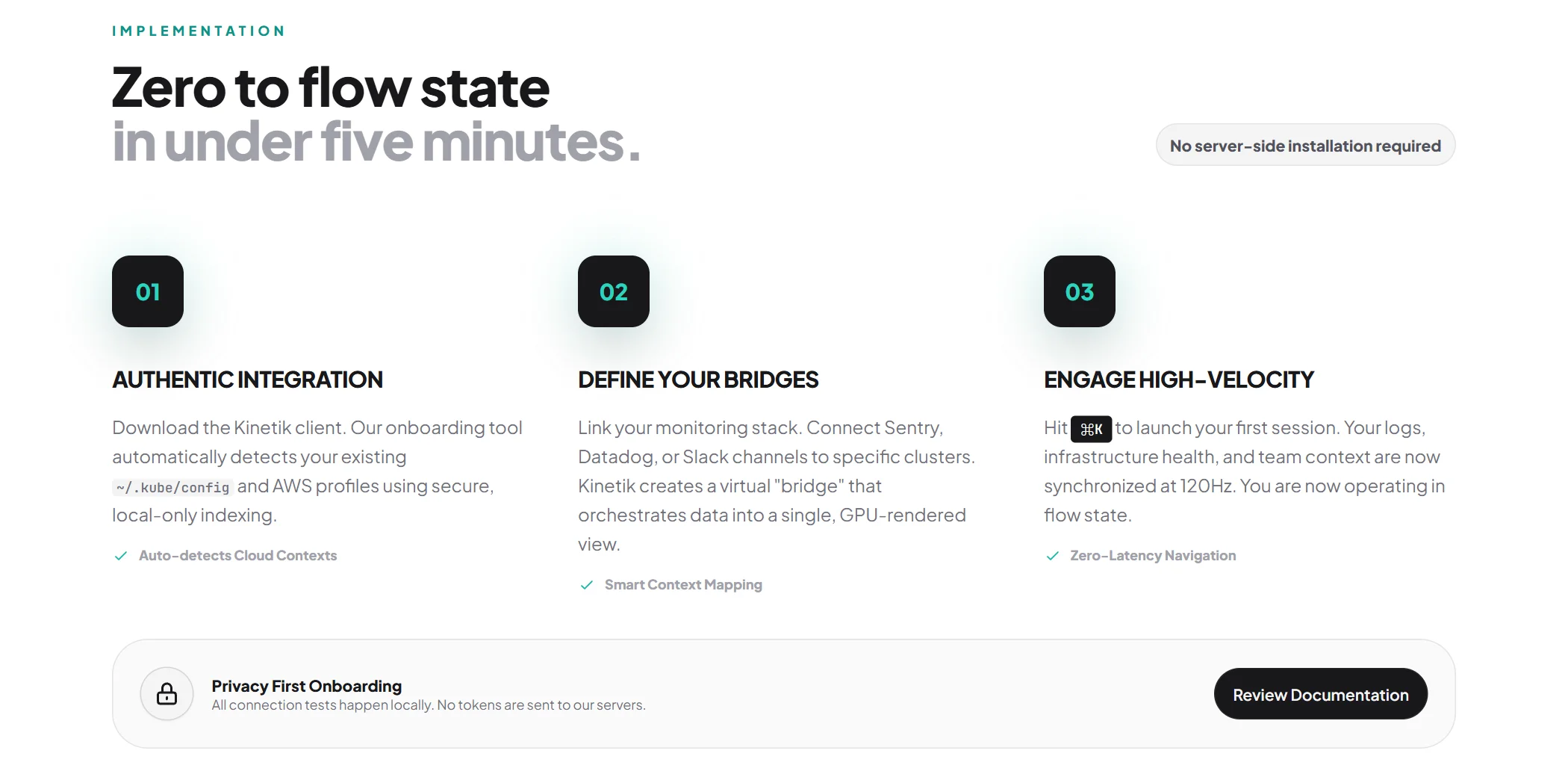
This carefully crafted Steps component is perfect for Software landing pages, featuring a Modern design that looks great and converts well.
Simply copy the code with the "Copy" button, paste it into your project and customize the colors, text and images to match your brand.
                <!--
@type: Steps
@industry: Software
@style: Modern
@category: Page Section, Sale
@framework: Tailwind
@license: Free
-->

<style>
  @import url('https://fonts.googleapis.com/css2?family=Plus+Jakarta+Sans:wght@300;400;600;800&family=JetBrains+Mono:wght@400;500&display=swap');
  body {
    font-family: 'Plus Jakarta Sans', sans-serif;
    color: #0a0a0a;
    background-color: #fafafa;
    background-image:
      radial-gradient(at 0% 0%, rgba(20, 184, 166, 0.08) 0px, transparent 50%),
      radial-gradient(at 100% 0%, rgba(20, 184, 166, 0.05) 0px, transparent 50%),
      radial-gradient(at 50% 100%, rgba(20, 184, 166, 0.03) 0px, transparent 50%);
  }
  body:before {
    content: '';
    position: fixed;
    inset: 0;
    pointer-events: none;
    background-image:
      linear-gradient(to right, rgba(0, 0, 0, 0.03) 1px, transparent 1px),
      linear-gradient(to bottom, rgba(0, 0, 0, 0.03) 1px, transparent 1px);
    background-size: 40px 40px;
    -webkit-mask-image: radial-gradient(
      ellipse 60% 50% at 50% 0%,
      #000 70%,
      transparent 100%
    );
    mask-image: radial-gradient(
      ellipse 60% 50% at 50% 0%,
      #000 70%,
      transparent 100%
    );
  }
  .mono { font-family: 'JetBrains Mono', monospace; }
</style>

<section class="relative py-24 px-6 overflow-hidden bg-white">
  <div class="max-w-[1200px] mx-auto">
    <div class="flex flex-col md:flex-row md:items-end justify-between gap-8 mb-20">
      <div class="max-w-2xl">
        <h2 class="text-xs font-bold uppercase tracking-[0.3em] text-teal-600 mb-4">Implementation</h2>
        <h3 class="text-4xl md:text-5xl font-extrabold text-zinc-900 tracking-tight leading-tight">
          Zero to flow state <br/>
          <span class="text-zinc-400">in under five minutes.</span>
        </h3>
      </div>
      <div class="hidden md:block">
        <div class="flex items-center gap-3 px-3 py-2 rounded-full bg-zinc-100 border border-zinc-200">
          <p class="text-sm font-bold text-zinc-600">No server-side installation required</p>
        </div>
      </div>
    </div>

    <div class="grid lg:grid-cols-3 gap-12 relative">
      <div class="relative space-y-8 group">
        <div class="relative inline-flex">
          <div class="w-16 h-16 rounded-2xl bg-zinc-900 text-teal-400 flex items-center justify-center text-xl font-bold shadow-2xl relative z-10 transition-transform group-hover:-translate-y-1">
            01
          </div>
          <div class="absolute inset-0 bg-teal-500 rounded-2xl blur-xl opacity-20 group-hover:opacity-40 transition-opacity"></div>
        </div>

        <div class="space-y-4">
          <h4 class="text-xl font-bold text-zinc-900 uppercase tracking-tight">Authentic Integration</h4>
          <p class="text-zinc-500 font-medium leading-relaxed">
            Download the Kinetik client. Our onboarding tool automatically detects your existing <span class="mono text-xs bg-zinc-100 px-1 rounded">~/.kube/config</span> and AWS profiles using secure, local-only indexing.
          </p>
          <ul class="space-y-2">
            <li class="flex items-center gap-2 text-xs font-bold text-zinc-400">
              <svg class="w-4 h-4 text-teal-500" fill="none" stroke="currentColor" viewBox="0 0 24 24"><path stroke-linecap="round" stroke-linejoin="round" stroke-width="2" d="M5 13l4 4L19 7"/></svg>
              Auto-detects Cloud Contexts
            </li>
          </ul>
        </div>
      </div>

      <div class="relative space-y-8 group">
        <div class="relative inline-flex">
          <div class="w-16 h-16 rounded-2xl bg-zinc-900 text-teal-400 flex items-center justify-center text-xl font-bold shadow-2xl relative z-10 transition-transform group-hover:-translate-y-1">
            02
          </div>
          <div class="absolute inset-0 bg-teal-500 rounded-2xl blur-xl opacity-20 group-hover:opacity-40 transition-opacity">
          </div>
        </div>

        <div class="space-y-4">
          <h4 class="text-xl font-bold text-zinc-900 uppercase tracking-tight">Define Your Bridges</h4>
          <p class="text-zinc-500 font-medium leading-relaxed">
            Link your monitoring stack. Connect Sentry, Datadog, or Slack channels to specific clusters. Kinetik creates a virtual "bridge" that orchestrates data into a single, GPU-rendered view.
          </p>
          <ul class="space-y-2">
            <li class="flex items-center gap-2 text-xs font-bold text-zinc-400">
              <svg class="w-4 h-4 text-teal-500" fill="none" stroke="currentColor" viewBox="0 0 24 24"><path stroke-linecap="round" stroke-linejoin="round" stroke-width="2" d="M5 13l4 4L19 7"/></svg>
              Smart Context Mapping
            </li>
          </ul>
        </div>
      </div>

      <div class="relative space-y-8 group">
        <div class="relative inline-flex">
          <div class="w-16 h-16 rounded-2xl bg-zinc-900 text-teal-400 flex items-center justify-center text-xl font-bold shadow-2xl relative z-10 transition-transform group-hover:-translate-y-1">
            03
          </div>
          <div class="absolute inset-0 bg-teal-500 rounded-2xl blur-xl opacity-20 group-hover:opacity-40 transition-opacity">
          </div>
        </div>

        <div class="space-y-4">
          <h4 class="text-xl font-bold text-zinc-900 uppercase tracking-tight">Engage High-Velocity</h4>
          <p class="text-zinc-500 font-medium leading-relaxed">
            Hit <kbd class="mono text-xs bg-zinc-900 text-white px-2 py-1 rounded">⌘K</kbd> to launch your first session. Your logs, infrastructure health, and team context are now synchronized at 120Hz. You are now operating in flow state.
          </p>
          <ul class="space-y-2">
            <li class="flex items-center gap-2 text-xs font-bold text-zinc-400">
              <svg class="w-4 h-4 text-teal-500" fill="none" stroke="currentColor" viewBox="0 0 24 24"><path stroke-linecap="round" stroke-linejoin="round" stroke-width="2" d="M5 13l4 4L19 7"/></svg>
              Zero-Latency Navigation
            </li>
          </ul>
        </div>
      </div>
    </div>

    <div class="mt-10 p-6 rounded-[2rem] bg-zinc-50 border border-zinc-200 flex flex-col md:flex-row items-center justify-between gap-6">
      <div class="flex items-center gap-4">
        <div class="w-12 h-12 rounded-full bg-zinc-100 flex items-center justify-center shadow-sm border border-zinc-300">
          <svg class="w-6 h-6 text-zinc-900" fill="none" stroke="currentColor" viewBox="0 0 24 24">
            <path stroke-linecap="round" stroke-linejoin="round" stroke-width="2" d="M12 15v2m-6 4h12a2 2 0 002-2v-6a2 2 0 00-2-2H6a2 2 0 00-2 2v6a2 2 0 002 2zm10-10V7a4 4 0 00-8 0v4h8z"/>
          </svg>
        </div>
        <div>
          <p class="text-sm font-bold text-zinc-900">Privacy First Onboarding</p>
          <p class="text-xs text-zinc-500 font-medium">All connection tests happen locally. No tokens are sent to our servers.</p>
        </div>
      </div>
      <button class="w-full sm:w-auto px-4 py-3 bg-zinc-900 text-zinc-100 text-sm font-semibold rounded-full border border-zinc-800 hover:bg-zinc-800 transition-all">
        Review Documentation
      </button>
    </div>
  </div>
</section>
This is a Pro component
Access the full component collection
Get all premium components and focus on building your business
Unlock for $49
(one-time payment)Early bird discount. Lock in this price forever
Premium components
Get access to all pro components. New ones added monthly
Save components
Save your favorite components to your account
Unlimited usage
Use components as often as you want
Landing page submissions
Get your landing pages featured on LandingGo and earn a
strong backlink
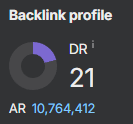 21 DR dofollow backlink from the main page