Preline UI gives you hundreds of Tailwind CSS components for building
complete web applications. But when you're trying to build a landing
page, you end up browsing through modals, data tables, and dashboard
widgets just to find a hero section.
LandingGo takes a different approach: every component is built
specifically for landing pages. You filter by section type, preview
designs, and copy the code. No wading through application components you
don't need.
LandingGo vs Preline UI compared
| Primary Focus |
Landing page components only |
General UI components & application templates |
| Free Components |
✓ (100+ landing page components) |
✓ (640+ general components) |
| Component Types |
Hero, CTA, Pricing, Testimonials, Features |
Modals, Datatables, Forms, Dashboards, Navigation |
| Organization |
By landing page section |
By component type |
| Code Format |
Tailwind CSS, HTML/CSS |
Tailwind CSS, HTML/CSS/JS |
| Framework Support |
HTML (easily convertible) |
HTML, React, Vue |
| Pro Pricing |
$49 one-time (early bird) |
$249 one-time (solo), $459 (team) |
| Templates Included |
None (component-based) |
21 full templates (Pro) |
| Best For |
Landing page builders |
Full web applications & dashboards |
Quick decision guide
- Choose LandingGo if:
- You're building landing pages for products or marketing campaigns
- You want components designed specifically for conversion
- You prefer browsing by landing page sections (hero, pricing, testimonials)
- You want a one-time payment under $50
- You work primarily with Tailwind CSS
- Choose Preline UI if:
- You're building web applications or admin dashboards
- You need interactive components like modals, datatables, and dropdowns
- Your project requires framework-specific code (React/Vue)
- You want complete template systems, not just components
- You're building more than just landing pages
Why LandingGo for landing pages?
If you're specifically building landing pages, LandingGo offers
several advantages over general component libraries like Preline UI.
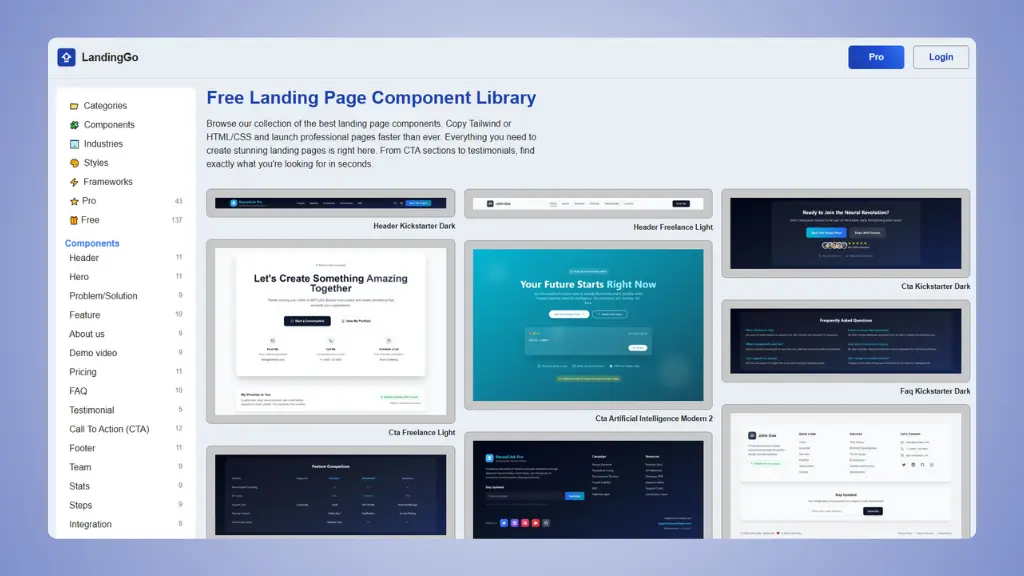 Website: LandingGo.com
1. Landing page specialization
LandingGo focuses only on landing page components. Every section is
designed for marketing pages: hero sections with strong headlines,
pricing tables that convert, testimonial layouts that build trust, and
CTA blocks that drive action.
Preline UI is excellent for applications, but most components serve
different purposes. You get modals, datatables, file uploads, and
navigation systems built for apps, not marketing pages. When you need a
pricing section, you'll scroll past dozens of dashboard components
first.
2. Simplified workflow
Building a landing page with LandingGo is straightforward. Browse by
section type, find what you need, and copy the code. The organization
matches how you think about landing pages: start with a hero, add
features, include pricing, show testimonials, finish with a CTA.
With Preline UI, you browse through general component categories.
Finding landing page-appropriate components means identifying which
general components work for marketing pages, then adapting them.
3. Better value for landing pages
LandingGo's early bird pricing is $49 one-time. You get lifetime
access to all landing page components, including future additions. Plus,
over 100 components are completely free.
Preline UI charges $249 for the Pro version (solo developer) or $459
for teams (up to 15 developers). You get 780+ examples and 21 templates,
which provides excellent value if you're building complete applications.
But if you only need landing page components, you're paying for
dashboard templates, admin panels, and application features you won't
use.
4. Conversion-focused design
Every LandingGo component is designed around landing page best
practices. The layouts emphasize clear value propositions, strong
calls-to-action, and social proof placement. You're not adapting general
UI components for marketing purposes.
Preline UI components are built for functionality and usability in
applications. They work great for their intended purpose, but they're
not optimized for conversion-focused landing pages.
5. Real landing page examples
LandingGo curates a gallery of high-converting landing pages for
inspiration. Study what works, learn from proven examples, and get ideas
for your own pages. Pro users can submit their pages for feedback and
backlinks.
Tired of browsing through dashboard components?
Build landing pages with components made specifically for
marketing. LandingGo gives you ready to use Tailwind components organized by
landing page sections. Find what you need in seconds, copy with one
click.
Try it now →
When Preline UI might be better
Preline UI shines when your project extends beyond landing pages.
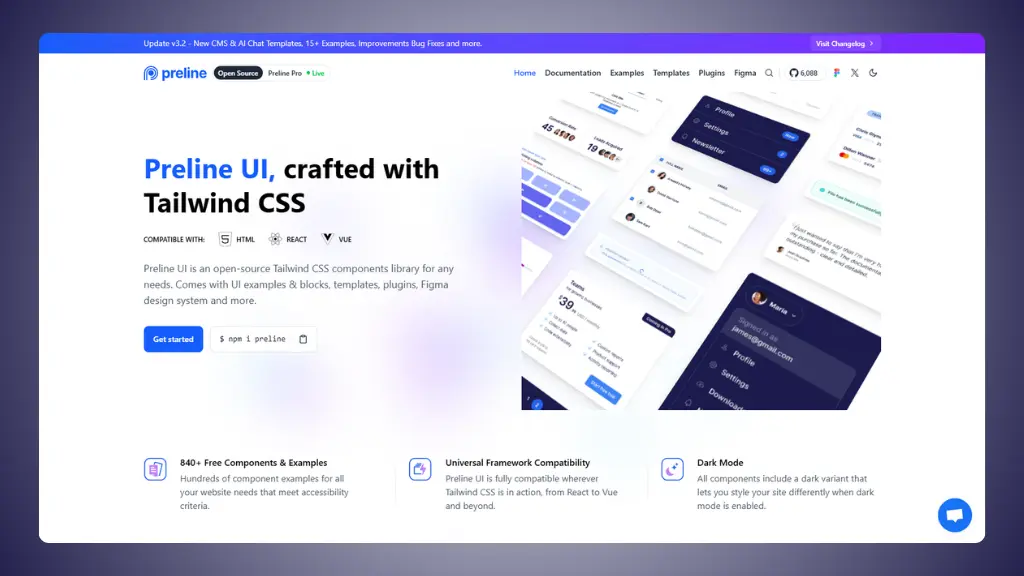 Website: Preline UI.com
→ Preline UI pricing: what you actually pay for
Full application development
If you're building a SaaS product, admin dashboard, or any
application with multiple pages, Preline UI provides everything you
need. You get modals, dropdowns, datatables, file uploads, forms,
navigation systems, and all the interactive components applications
require.
The 21 Pro templates include dashboards for projects, CMS systems,
e-commerce admin panels, and more. These are complete systems, not just
landing pages.
Framework-specific code
Preline UI supports HTML, React, and Vue out of the box. If you're
working in React or Vue, you get components that work directly in your
framework without conversion.
LandingGo provides clean HTML and Tailwind CSS that's easy to convert
to any framework, but you'll need to do that conversion yourself.
→ Preline UI alternatives
Interactive features
Preline UI includes JavaScript plugins for advanced functionality:
datepickers, datatables, file uploads, modals, dropdowns, tooltips, and
more. These are fully functional, not just styled components.
For landing pages, you rarely need this level of interactivity. But
if your project requires it, Preline UI has you covered.
Complete template systems
The 21 Pro templates give you complete, working applications. You get
entire CMS dashboards, e-commerce backends, chat interfaces, and admin
panels. These aren't just collections of component, they're full
solutions you can customize.
If you need both landing pages and application interfaces, Preline UI
provides both in one package.