You're browsing Preline UI's website, checking out all those Tailwind
CSS components, and wondering: "Is this actually free, or is there a
catch?"
Let me break it down. I'll walk you through how Preline UI pricing
works, what you get with each version, and whether it makes sense for
your projects. Plus, I'll show you how it stacks up against other
Tailwind component libraries.
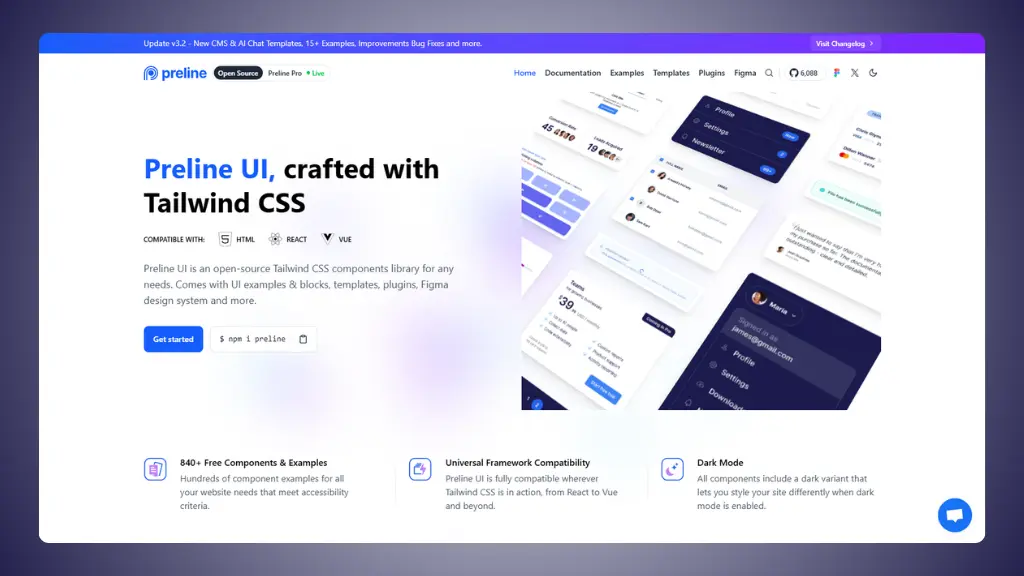 Preline UI homepage
Preline UI pricing overview: What do I get?
Here's what makes Preline different: they split their offering into a
completely free version and a paid Pro version. Both are good. Let's
look at what each gives you.
Free version (Preline UI)
$0 forever
Preline UI is genuinely free and open source. Not a trial. Not
limited features with constant upgrade prompts. Actually free.
- 300+ open-source components
- 160+ starter pages and examples
- Built with Tailwind CSS
- Works with React, Vue, Next.js, Svelte, Remix
- MIT license (use it commercially)
- Full documentation
- JavaScript plugins included
- Community support
- Largest free Figma design system
The free version covers way more than basics. You get components for
layouts, navigation, forms, alerts, buttons, cards, and complete page
examples. It's enough to build professional websites without paying
anything.
Preline pro
$249 one-time (Solo Developer)
This is the premium package. More examples, more templates, more
everything.
- 780+ examples and components
- 21 complete templates
- Admin dashboard templates
- Application UI pages
- Marketing templates
- CMS dashboard
- AI Chat UI demo
- Video call app UI
- Coffee shop e-commerce template
- Account settings pages
- User profile pages
- Lifetime access
- All future updates included
- Priority email support
- Commercial license (unlimited projects)
One payment. No subscription. You own it forever.
Team license
$459 one-time
Same features as Pro, but for teams.
- Everything in Pro
- Up to 15 developers
- Unlimited projects
- Free updates forever
- All 780+ examples
- All 21 templates
Enterprise
Custom pricing
Built for companies that need redistribution rights.
- Single project
- Unlimited developers
- Redistribution allowed (with conditions)
- Custom license terms
Need to contact them directly for this one.
Is Preline UI good value for money?
Let's get real about what you're paying for.
What you're really getting
A massive free library. Preline's free version isn't
a teaser. It's 300+ production-ready components. Most developers can
build complete projects without ever upgrading.
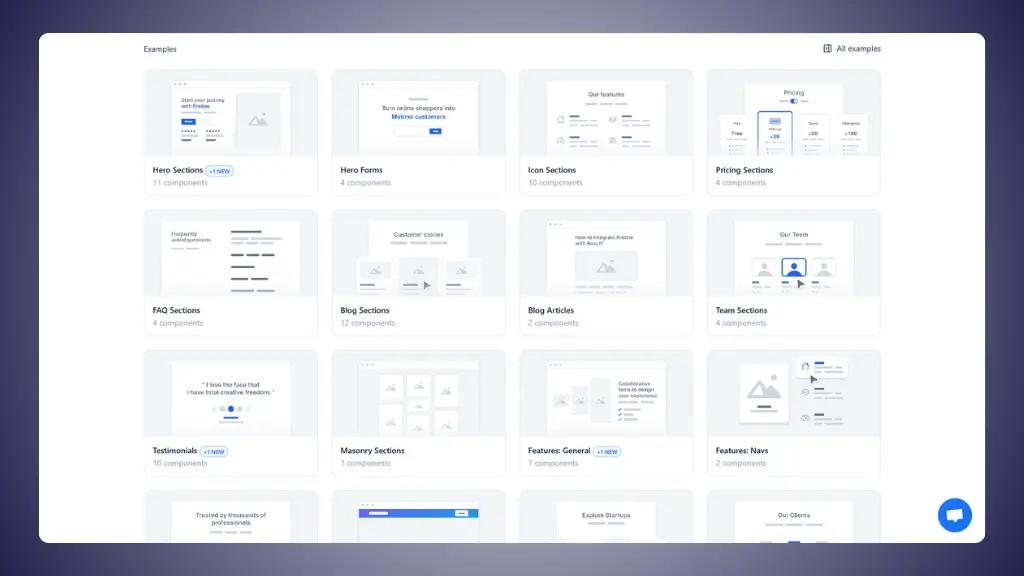 Preline UI components
Pure HTML/CSS/JavaScript. No framework lock-in.
Works with vanilla HTML or any JavaScript framework. This is huge if you
work on different types of projects.
One-time payment for Pro. $249 once. Not per year.
Not per project. Once. Compare that to subscription tools where you pay
forever.
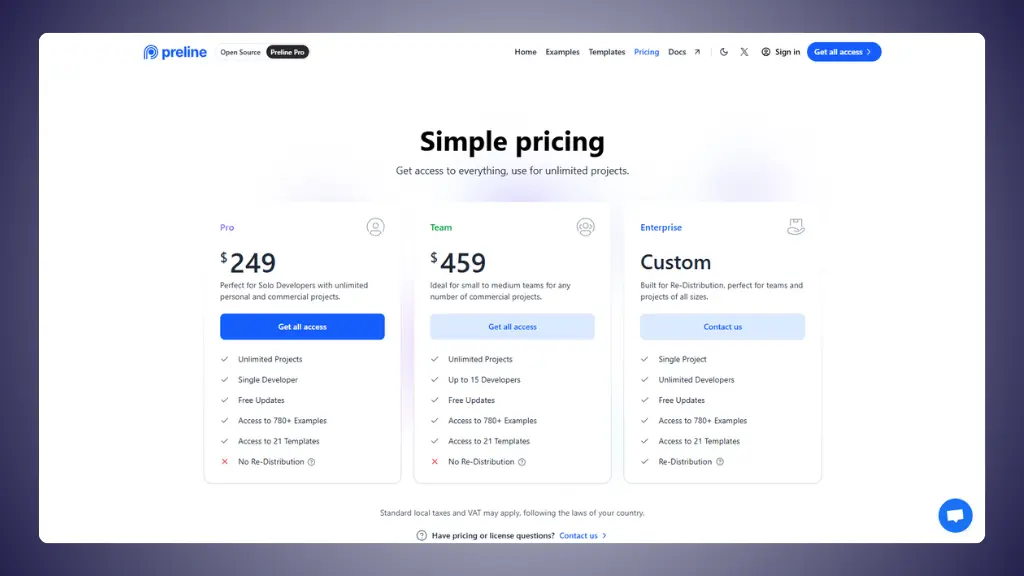 Preline UI pro pricing page
Complete templates. Preline pro gives you entire
dashboard layouts, CMS systems, and marketing sites. Building these from
scratch takes weeks.
Active development. They recently upgraded to
Tailwind CSS v4 with 50+ new components. Free updates means you keep
getting new stuff.
Accessibility built-in. WCAG-compliant components.
Saves you hours of testing and fixing.
The pros:
- Free version is extremely generous
- One-time payment (no recurring fees)
- 780+ examples in Pro version
- Works with any JavaScript framework
- Complete dashboard templates included
- Figma design system included
- Active updates and improvements
- Excellent documentation
The cons:
- $249 is steep if you only need a few components
- No refunds after account creation
- No technical support (open-source plugins, though)
- Pro is HTML/CSS only (no React-specific version)
- Can be overwhelming with so many options
- Some advanced features require JavaScript knowledge
Preline UI pricing vs competition
Here's how Preline compares to other Tailwind component
libraries:
| Preline UI |
Teams wanting free + paid options |
300+ free components, 780+ Pro examples |
Free / $249 |
| LandingGo |
Landing pages only |
Premium landing page components |
Free / $49 one-time |
| Flowbite |
Multi-framework teams |
600+ components, dashboards, UI kits |
$299 |
| DaisyUI |
Quick prototyping |
50+ themed components (plugin) |
Free |
| Tailwind UI |
Official components |
Professional templates |
$299 |
| HyperUI |
Copy-paste simplicity |
100+ free sections |
Free |
→ Preline UI alternatives
Preline sits in a sweet spot. Generous free version for most
projects. Reasonably priced Pro version for teams who need everything.
Cheaper than Flowbite and Tailwind UI.
When should you use Preline UI?
Choose Preline UI if:
- You want to start free and upgrade only if
needed
- You build dashboards and admin panels
regularly
- You work with multiple frameworks or prefer vanilla
JavaScript
- You need complete templates, not just
components
- You want WCAG-compliant accessibility out of the
box
- You prefer one-time payments over
subscriptions
- You need a Figma design system for free
The $249 Pro makes sense if you use it for 2-3 projects. Most
developers stick with the free version and only upgrade when they need
the premium templates.
Skip Preline UI if:
- You only need React components → Look for
React-specific libraries
- You're building simple landing pages → LandingGo is
cheaper and more focused
- You need technical support → Preline doesn't offer
it
- You want to resell templates → You need Enterprise
license
- You prefer component-as-a-service → Try
subscription-based tools
Why do many developers use LandingGo alongside Preline?
Here's something interesting: lots of developers use both tools
together.
They solve different problems
Preline UI: Complete admin dashboards, application
interfaces, complex UI pages. Perfect for internal tools and web
applications.
LandingGo: Premium landing page components
specifically built for marketing sites and high-converting pages.
Think of it this way: Preline is your tool for building the
application itself. LandingGo is what you use when you need a marketing
site to promote that application.
The price advantage
LandingGo: $49 vs Preline Pro: $249
That's a 5x difference. If you're primarily building landing pages,
you don't need Preline's massive dashboard components. LandingGo focuses
exclusively on landing pages and does it really well.
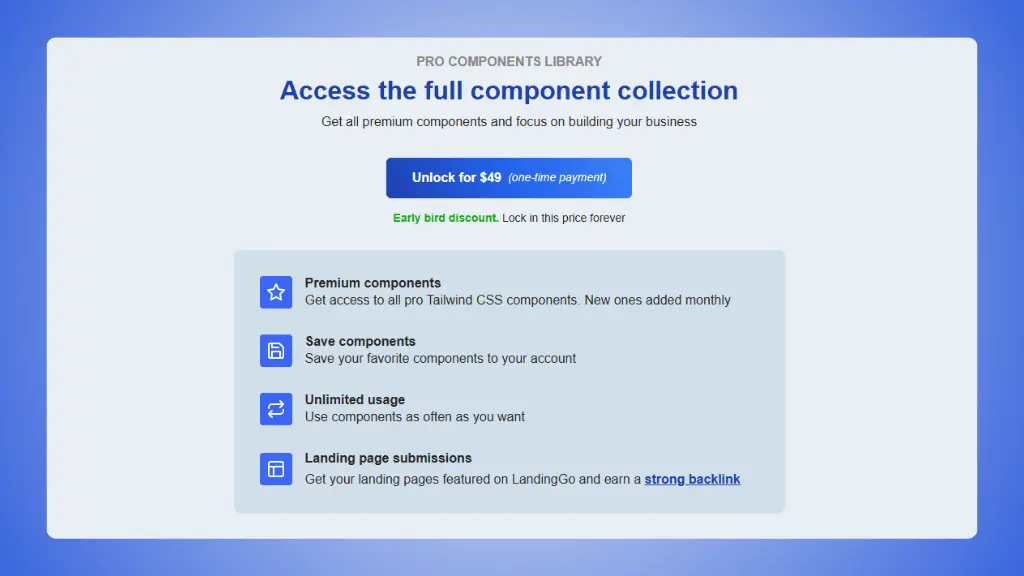 LandingGo pricing plans
→ LandingGo vs Preline UI
What LandingGo does better
- Laser-focused on landing pages. Every component is
optimized for conversion.
- Production-ready landing pages. Copy, paste,
launch.
- Lower price point. $49 gets you full access.
- Simpler library. Find what you need faster.
- Marketing-first mindset. Built specifically for
marketing sites.
What Preline UI does better
- Complete dashboards. If you need admin panels with
data tables and charts, Preline wins.
- Application UI components. Complex interfaces for
web apps.
- More comprehensive. Marketing, dashboards, and
application UIs all in one.
- Free version is excellent. Start with zero
investment.
The smart combo:
Grab both for $298 total ($49 + $249). Use LandingGo for marketing
sites and Preline Pro for application UIs. Still cheaper than buying
multiple dashboard templates separately.