You're looking at Tailwind UI's website, checking out those
professional components built by the Tailwind CSS team, and wondering:
"What's the damage?"
Let me walk you through it. I'll explain how Tailwind UI pricing
works, what you get at each tier, and whether it's worth your money.
Plus, I'll compare it to other Tailwind component libraries so you can
make the right choice.
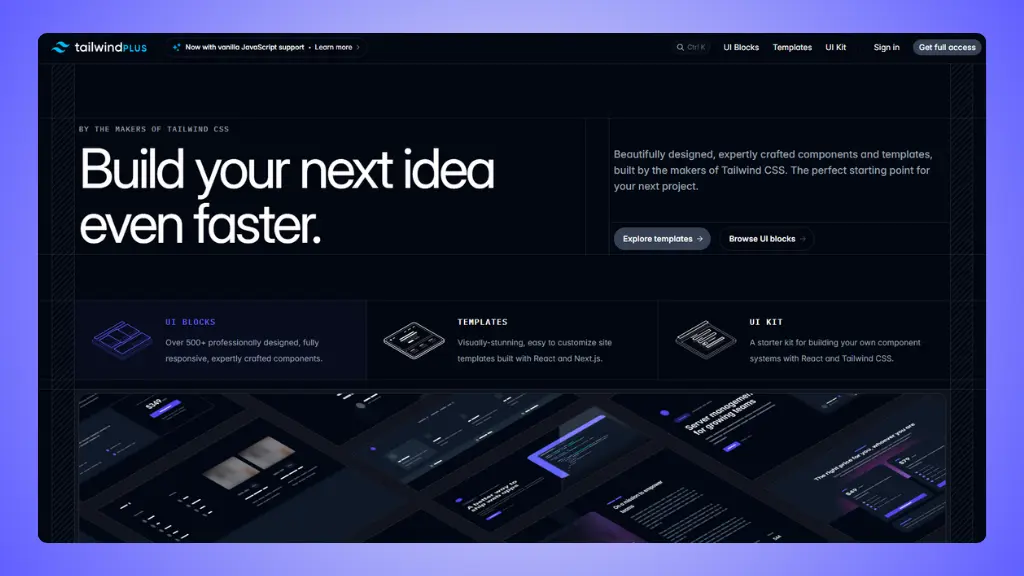 Website: Tailwind UI.com
Tailwind UI
pricing overview: What am I paying for?
Tailwind UI is the official component library from the makers of
Tailwind CSS. They offer a one-time purchase model with two main
options.
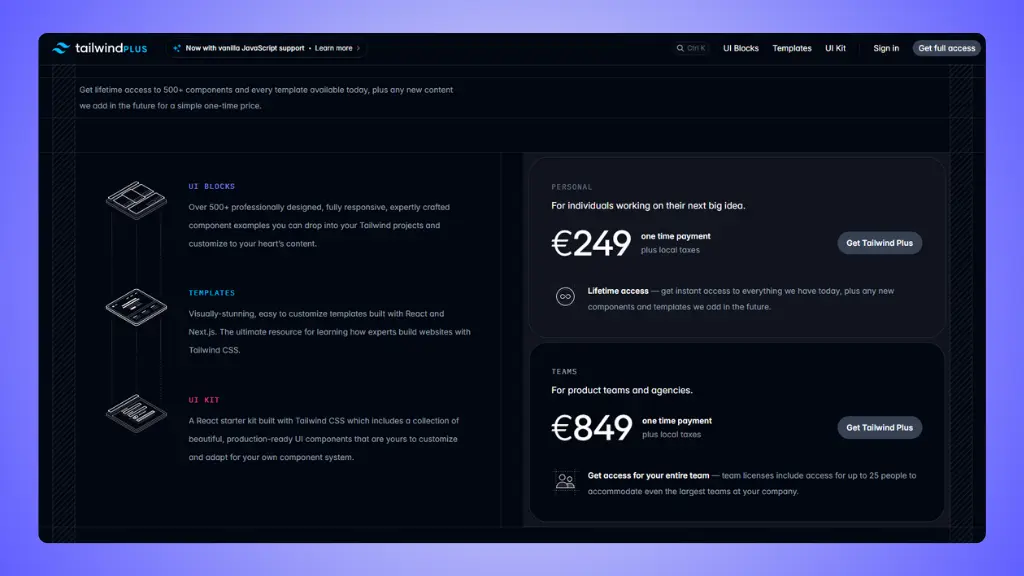
Personal license
$299 one-time
This is for individual developers working on their own projects.
- Lifetime access to all current content
- 500+ professionally designed components
- All future updates included
- React, Vue, and HTML versions
- Multiple website templates (10+ full templates)
- Catalyst UI Kit for React
- Commercial use allowed
- Build unlimited projects
- 30-day money-back guarantee
The components work with multiple frameworks. You get React
components, Vue examples, and vanilla HTML versions. No subscriptions,
no recurring fees.
 Tailwind UI Pricing Plans
Team license
$979 one-time
This covers up to 25 team members at your company.
Everything from the personal license, plus:
- Access for up to 25 people
- Perfect for agencies and product teams
- Same lifetime access model
- Same commercial rights
If you need more than 25 seats, you either buy multiple team licenses
or contact them for custom pricing.
What's actually included
Here's what you're getting when you buy Tailwind UI:
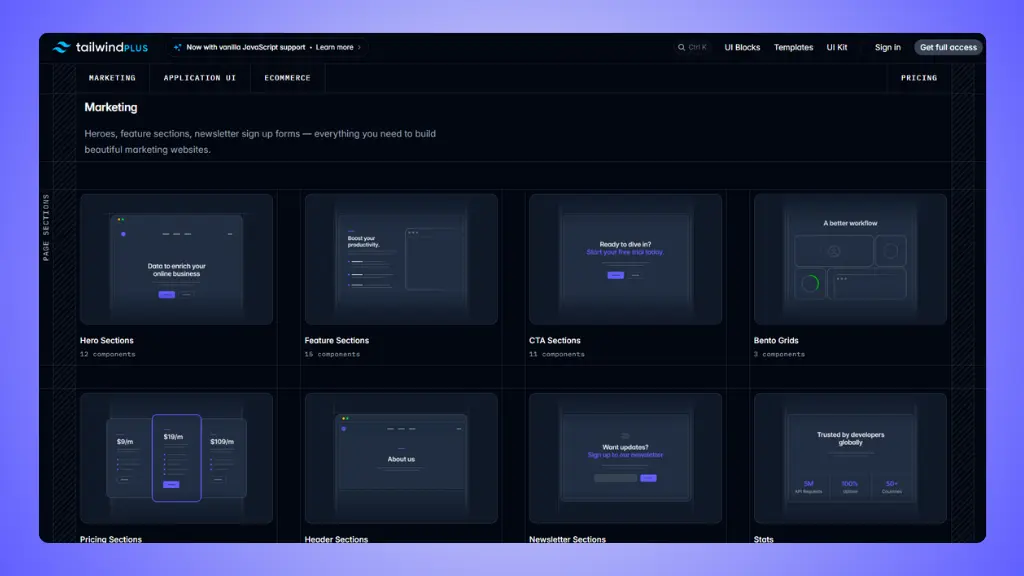
UI Blocks (500+ components) Complete component
library with buttons, forms, navigation, cards, pricing sections,
testimonials, hero sections, and more. Available in React, Vue, and
HTML.
Website Templates Full site templates built with
Next.js and React. These aren't just landing pages. You get complete
website examples for:
- Marketing sites (Radiant, Compass, Studio)
- SaaS applications (Salient, Pocket)
- Documentation sites (Syntax, Protocol)
- Info products (Primer)
- Podcasts (Transmit)
- Conferences (Keynote)
Each template is customizable and production-ready.
Catalyst UI Kit A React component library with
pre-built elements you can drop into your apps. Includes buttons,
inputs, tables, sidebars, checkboxes, radio groups, and more. This is
your starter kit for building React applications.
All components are responsive, well-documented, and built by the team
that created Tailwind CSS. Copy the code, customize it, ship it.
Is Tailwind UI good value
for money?
Let's be honest about what you're getting.
What you're really paying for
Components built by the Tailwind creators. These
aren't random community contributions. The Tailwind Labs team designs
and maintains everything. The quality is consistent, the code is clean,
and the documentation is thorough.
 Tailwind UI Blocks
One-time payment. $299 once. Compare that to tools
where you pay monthly or annually. Over a few years, this pays for
itself.
Professional website templates. The templates alone
are worth it. A single premium Next.js template from other marketplaces
costs $50-150. You get 10+ templates here.
Multiple framework versions. React, Vue, and HTML
examples for most components. Switch frameworks mid-project? Your
license still works.
Lifetime updates. New components and templates get
added. You get them all, forever, included in your original
purchase.
Commercial license. Build as many client projects
and commercial applications as you want. No per-project fees.
The pros:
- Official components from Tailwind CSS creators
- One-time payment (no subscription)
- Multiple framework support (React, Vue, HTML)
- Professional website templates included
- Lifetime access to all updates
- Commercial license included
- Excellent documentation
- 30-day money-back guarantee
The cons:
- $299 is expensive for casual projects
- No Figma design files included
- Templates are all React/Next.js (no Vue or other frameworks)
- Might be overkill for simple landing pages
- Learning curve if you're new to Tailwind
Tailwind UI pricing vs
competition
Here's how Tailwind UI compares to other Tailwind component
libraries:
| Tailwind UI |
Official components |
500+ components, 10+ templates, Catalyst kit |
$299 |
| LandingGo |
Landing pages only |
Premium landing page components |
$49 |
| Flowbite |
Multi-framework teams |
600+ components, dashboards, UI kits |
$299 |
| DaisyUI |
Quick prototyping |
50+ themed components (plugin) |
Free |
| Preline UI |
Modern web apps |
300+ components, 170+ sections |
Free |
| HyperUI |
Copy-paste simplicity |
100+ free sections |
Free |
Tailwind UI and Flowbite are the same price ($299), but they're
different products. Tailwind UI focuses on quality over quantity, with
templates and official support. Flowbite gives you more components but
without the premium templates.
Free options like DaisyUI and Preline are solid if budget is tight.
They lack the polish and templates of paid options, but they work.
→ Tailwind UI alternatives
When is Tailwind UI worth it?
Buy Tailwind UI if:
- You build professional websites regularly - The
cost spreads across multiple projects
- You want official Tailwind components - Quality and
consistency matter
- You need complete site templates - Not just
individual components
- You work with React/Next.js - The templates are
built for this stack
- You value long-term access - One payment, lifetime
updates
- You're building SaaS or marketing sites - The
templates cover these perfectly
- You want clean, well-documented code - The examples
are reference-quality
The $299 makes sense if you use it for 2-3 client projects or your
own product. One custom-designed component set from a designer costs
more.
Skip Tailwind UI if:
- You only need landing pages → Go with LandingGo
($49)
- You're on a tight budget → Try DaisyUI or Preline
(free)
- You don't use React/Vue → Limited value without
framework integration
- You need dashboard components → Flowbite has better
admin UI options
- You're just learning → Start with free options
first
- You build simple sites → The free version of
HyperUI works fine
Why
do many developers use LandingGo alongside Tailwind UI?
A lot of developers buy both. Here's why.
They solve different
problems
Tailwind UI: Complete website templates, application
UI components, official Tailwind quality. Perfect for full web
applications and SaaS products.
LandingGo: Landing page components specifically
optimized for conversion and marketing. No application UI, just focused
landing page sections.
If you're building a SaaS product, you might use Tailwind UI for the
app itself and LandingGo for the marketing site.
The price advantage
LandingGo: $49 vs Tailwind UI: $299
That's 6x cheaper. If you're mainly building marketing sites and
landing pages, you don't need Tailwind UI's full template library.
LandingGo gives you everything for landing pages at a fraction of the
cost.
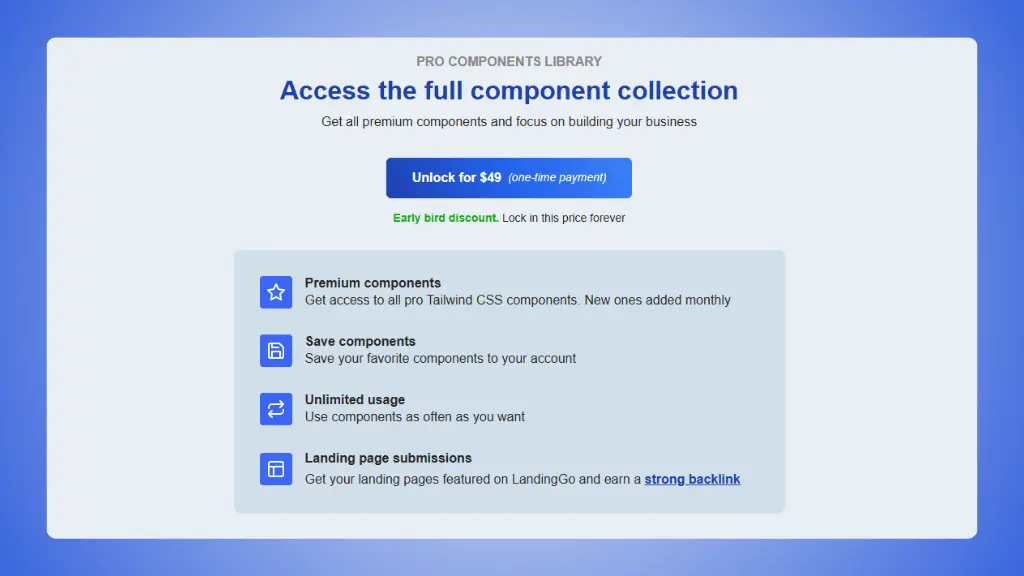 LandingGo pricing plans
→ LandingGo vs Tailwind UI
What LandingGo does better
- Focused on conversions. Every component is designed
for marketing and landing pages.
- Simple copy-paste. No framework required. Works
anywhere.
- Lower barrier to entry. $49 is easier to justify
for side projects.
- Faster browsing. Smaller library means finding the
right component is quicker.
- Pure Tailwind. Just HTML and Tailwind CSS, no
framework lock-in.
What Tailwind UI does better
- Complete website templates. Full sites, not just
components.
- Official support. Built by the Tailwind team.
- Framework integration. React and Vue versions
included.
- Application UI. Components for building web apps,
not just marketing sites.
- Higher production quality. Premium polish and
documentation.
The smart combo
Buy both for $348 total ($49 + $299). Use LandingGo for marketing and
landing pages, Tailwind UI for application interfaces and full site
templates. Still cheaper than hiring a designer for custom
components.
Bottom line: Tailwind UI is worth it if you build
professional websites regularly and value official quality. The one-time
$299 payment makes sense over multiple projects. For landing pages only,
LandingGo at $49 is a better deal.