You're checking out Flowbite's website, seeing all those Tailwind CSS
components, and thinking “okay, so what does this actually cost?”
Let me clear this up for you. I'll break down how Flowbite pricing
works, what you get with each option, and whether it's worth the money.
Plus, I'll show you how it compares to other Tailwind component
libraries.
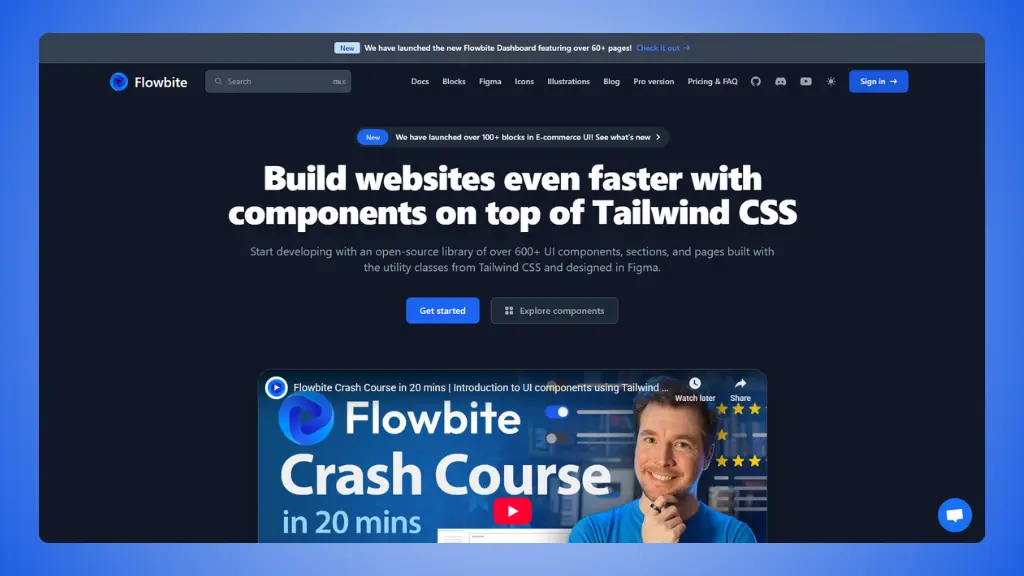 Website: Flowbite.com
Flowbite pricing overview: What do I get?
Here's the thing about Flowbite: they offer both free and paid
options. Let's start with what you actually pay for.
$0 forever
Yeah, Flowbite has a genuinely free version. Not a trial, not a
limited demo. Actually free.
- 600+ open-source UI components
- Built with Tailwind CSS
- Works with React, Vue, Svelte, Angular
- MIT license (use it anywhere)
- Basic documentation
- Community support
The catch? The free version covers the basics. You get components
like buttons, forms, modals, and navbars. It's enough to build a decent
website, but you're missing the premium stuff.
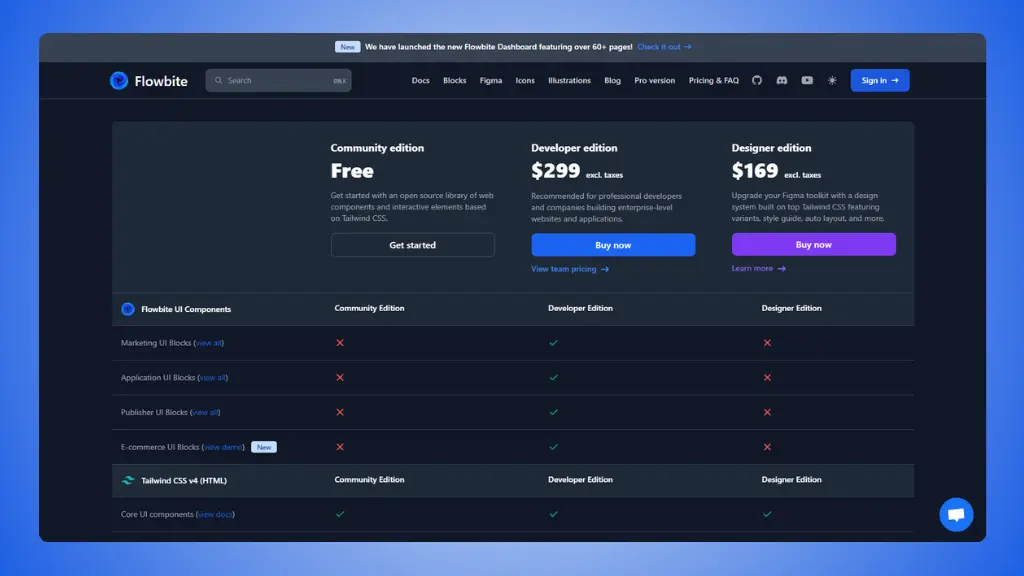 Flowbite pricing plans
Designer edition
$169 one-time
This is for people who work in Figma before they write code.
- Complete Figma design system
- All component variants
- Style guidelines and documentation
- Auto layout support
- Built on Tailwind CSS principles
- Lifetime access
- All future updates included
If you're a designer or work closely with a design team, this gives
you the Figma files that match the code components. Keeps everyone on
the same page.
Developer edition
$299 one-time
This is the big one. The full package for developers.
- 600+ premium UI components
- Advanced components (data tables, charts, etc.)
- Admin dashboard templates
- Marketing and e-commerce UI kits
- Application UI components
- React, Vue, Svelte, Angular support
- Dark mode support
- Complete documentation
- Priority email support
- Lifetime access
- All future updates included
- Commercial license (unlimited projects)
One-time payment. No subscription. You buy it once, own it
forever.
What's Actually Included
The Developer Edition gets you access to everything:
- Admin Dashboard UI: Complete dashboard templates
with charts, tables, forms
- Marketing UI: Landing pages, pricing sections,
testimonials, hero sections
- Application UI: Complex components for web
apps
- E-commerce UI: Product cards, checkout flows,
shopping carts
- Publisher UI: Blog layouts, article pages, content
management
All components are production-ready. Copy the code, paste it into
your project, customize it. That's it.
Is Flowbite good value for money?
Let's be real about this.
What you're really paying for
A massive component library. Flowbite has 600+
components. That's not just buttons and forms. You get complete
dashboard layouts, marketing page templates, and complex UI elements.
Building all this from scratch would take weeks.
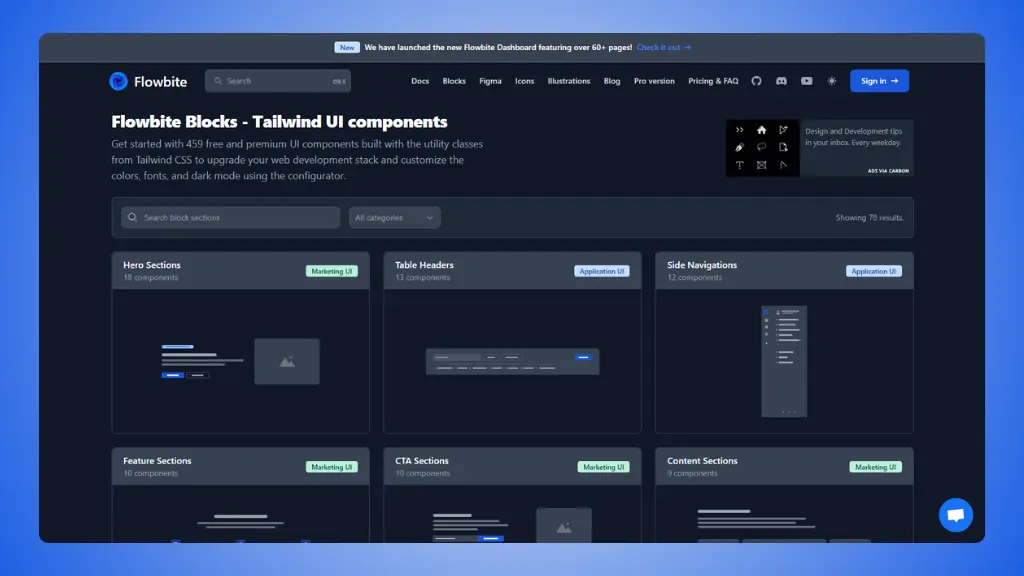 Flowbite components
Multi-framework support. The same components work in
React, Vue, Svelte, and Angular. Most developers stick to one framework,
but if you work on different projects or with clients who use different
stacks, this is huge.
One-time payment. $299 once. Not $299 per year. Not
$299 per project. Once. Compare that to subscription-based tools where
you pay forever.
Figma integration. If you buy both Designer and
Developer editions, your design files and code stay in sync. No more
“the design looks different from the code” arguments.
The free version is actually useful. Unlike some
tools where the free version is basically a demo, Flowbite's free
components are production-ready. You can build real projects with
them.
The pros:
- Huge library of components
- Works with multiple frameworks
- One-time payment (no recurring fees)
- Free version is genuinely useful
- Active development and updates
- Commercial license included
- Good documentation
The cons:
- $299 is steep if you only need a few components
- Can be overwhelming (600+ components to sort through)
- Some components require JavaScript framework knowledge
- Not ideal if you only build simple landing pages
- Free version lacks advanced components
Flowbite Pricing vs Competition
Here's how Flowbite compares to other Tailwind CSS component
libraries:
| Flowbite |
Multi-framework teams |
600+ components, dashboards, UI kits |
$299 |
| LandingGo |
Landing pages only |
Premium landing page components |
$49 |
| DaisyUI |
Quick prototyping |
50+ themed components (plugin) |
Free |
| Preline UI |
Modern web apps |
170+ sections, 60+ components |
Free |
| Tailwind UI |
Official components |
Professional templates |
$299 |
| HyperUI |
Copy-paste simplicity |
100+ free sections |
Free |
Flowbite sits in the middle. More expensive than free Flowbite alternatives
like DaisyUI and Preline, but cheaper than some premium options. The big
difference? Flowbite gives you everything in one package.
When is it worth choosing Flowbite?
Choose Flowbite if:
- You build dashboards and admin panels
regularly
- You work with multiple frameworks (React, Vue,
etc.)
- You need complete templates, not just individual
components
- You want a one-time payment, not a
subscription
- You work with designers who use Figma
- You value long-term access - all future updates are
free
The $299 makes sense if you use it for 2-3 projects. A single admin
dashboard template from other marketplaces costs $50-100. With Flowbite,
you get unlimited access to everything.
Skip Flowbite if:
- You only use one framework → Stick with
framework-specific libraries
- You're building simple landing pages → Way
overkill, go with LandingGo
- You prefer free tools → DaisyUI and Preline are
excellent free options
- You're on a tight budget → The free version or
cheaper alternatives work fine
- You only need a few components → Paying $299 for 5
components doesn't make sense
Why do
many builders use LandingGo alongside Flowbite?
Here's something interesting: a lot of developers use both.
They solve different
problems
Flowbite: Complete admin dashboards, complex
application UIs, multi-framework support. Perfect for internal tools and
full web applications.
LandingGo: Premium landing page components
specifically built for marketing sites and conversion-focused pages.
Think of it this way: Flowbite is your go-to for backend admin panels
and application interfaces. LandingGo is what you use when building
landing pages and marketing sites.
The price advantage
LandingGo: $49 vs Flowbite: $299
That's a 6x difference. If you're mainly building landing pages
with Tailwind CSS, you don't need Flowbite's massive component library.
LandingGo focuses exclusively on landing pages and does it really
well.
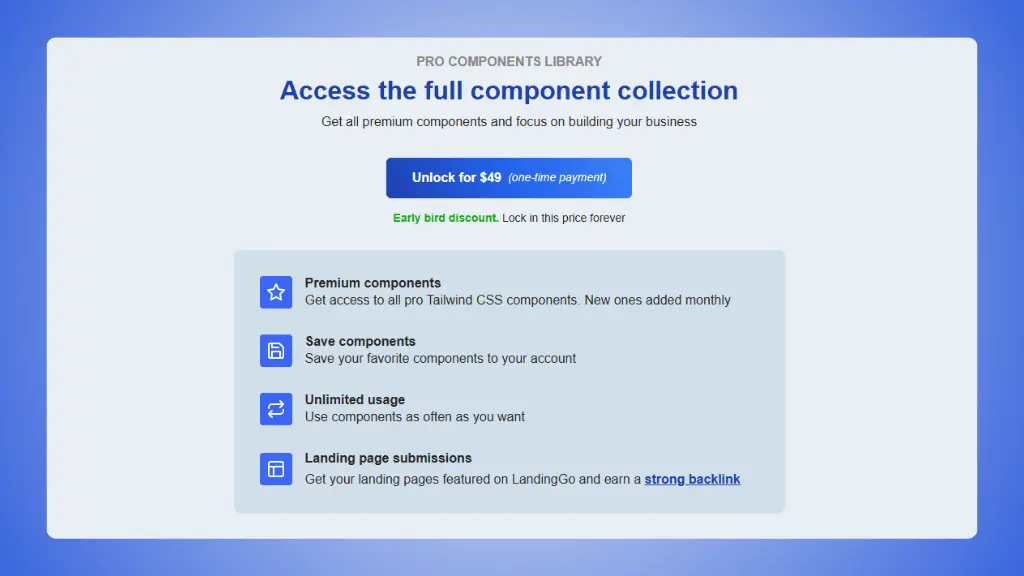 LandingGo pricing plans
→ LandingGo vs Flowbite
What LandingGo does better
- Laser-focused on landing pages. Every component is
optimized for conversion and marketing.
- Production-ready code. Copy, paste, done. No
framework overhead.
- Lower price point. $49 gets you full access to all
components.
- Simpler to navigate. Smaller, curated library means
you find what you need faster.
- Tailwind-only focus. Built specifically for
Tailwind CSS developers.
What Flowbite does better
- Complete dashboards. If you need admin panels with
charts, data tables, and complex interfaces, Flowbite wins.
- Multi-framework support. React, Vue, Svelte,
Angular - all covered.
- Application UI components. Complex components for
web applications.
- More comprehensive. Marketing, e-commerce,
application, and dashboard UIs all in one place.
The smart combo:
Grab both for $348 total ($49 + $299). You get LandingGo for
marketing sites and Flowbite for application UIs. Still cheaper than
many premium dashboard templates.
Bottom line: Flowbite is a solid investment for
developers who build frequently and need a comprehensive component
library. Just make sure you'll actually use what you're paying for.